X No. 5963 words
How to build a simple AI agent in 46 lines of Python code
I think there’s a lot of confusing stuff out there when it comes to AI agents, and as always, a ton of technical terms now being used as sales and marketing buzzwords to make people sounds, errrr, feel like they’re ready to rock with AI agents.
As someone that has been building agents, as an engineer, I’m finding a lot of the things that are being put out now have a lot of buzzy, fluffy, language in it, and misses what a lot of us, who are actually building agents, want.
If you haven’t read this post from Karpathy, just read it now, it ends with what I think should be everyone’s mantra this year - It’s 2026. Build. For. Agents.
CLIs are super exciting precisely because they are a “legacy” technology, which means AI agents can natively and easily use them, combine them, interact with them via the entire terminal toolkit.
E.g ask your Claude/Codex agent to install this new Polymarket CLI and ask for any
I’ve been talking about this a lot, not just to my eng team and other devs, but to friends and family, and often realize I have to take a step back because people are generally confused about what an agent really is. So I thought it was time to just put together what I think is the best way to understand something like an AI agent, and that is - to build one yourself.
And if you don’t know Python, that’s okay, you don’t have to know Python to build things in Python, that’s a 2025 mindset, back when LLMs hallucinated all the time and wrote crappy code. In 2026, models like GPT-5.3-Codex and Opus 4.6, can, and are, writing Production-grade code like a senior dev.
This means, you have no excuses not to learn, by actually building. Not reading a book, not watching a You Tube video from an AI influencer, not listening to a podcast about someone who did it - you, actually doing it.
Okay, so if you’re still with me, let’s rock 🤘
First - let’s define what an agent actually is, because this is where I see the most confusion.
A lot of people are building ChatBots, renaming them, “ChatAgent” and saying they’re in the game. Yeah no. Here’s what an AI agent actually is 🔽
The minimal definition: An agent = LLM + at least one tool + a loop. Without the loop (reason → act → observe → repeat), it’s just a chatbot.
This loop, and the ability to reason, act, observe, and repeat, is what makes an AI agent, actually an AI agent, and not just a ChatBot/ChatAgent.
Now, let’s get to the good stuff, the code for a simple AI agent. This is all one Python script, but I’m going to break it into two parts because I think that’s probably the best way to make it easy to understand.
And let’s start with the tool itself:
import anthropic, json

client = anthropic.Anthropic()

tools = [{
    "name": "calculator",
    "description": "Evaluates a math expression",
    "input_schema": {
        "type": "object",
        "properties": {
            "expression": {"type": "string"}
        },
        "required": ["expression"]
    }
}]

def run_tool(name, inputs):
    if name == "calculator":
        return str(eval(inputs["expression"]))
This is a tool you already know and love - it’s a calculator. And I don’t have to sit here and explain the code to you if you don’t know Python. You can copy and paste this code into ChatGPT or Claude, and ask it to explain it to you like a five year old, and it will, and you will understand every line of this.
Seriously - don’t just gloss over this code if you don’t know how to code, learn how it works, you can do it.
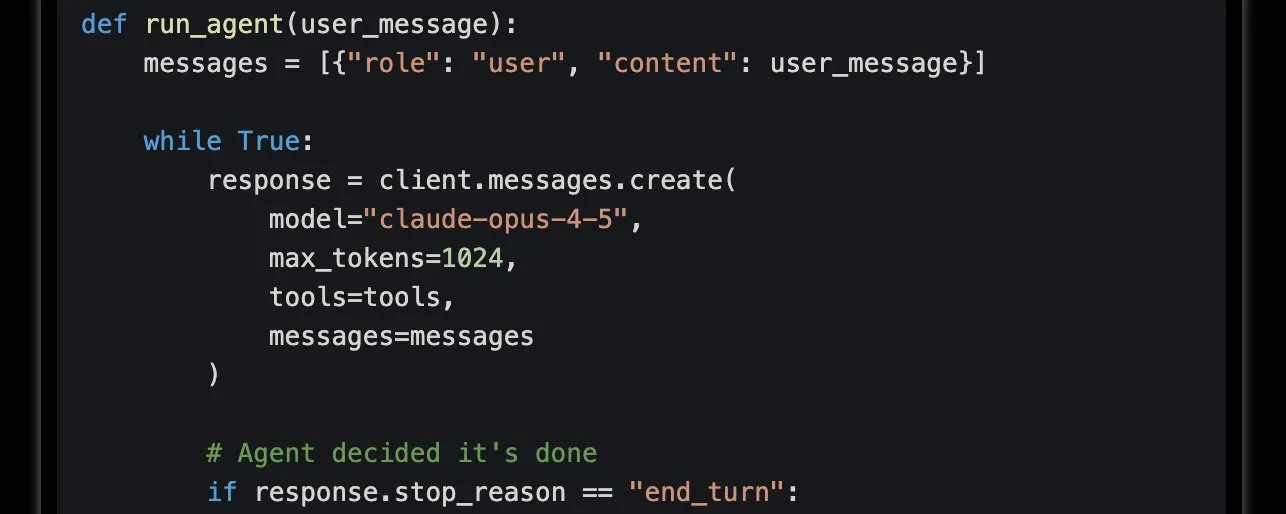
Okay, now for the loop:
def run_agent(user_message):
    messages = [{"role": "user", "content": user_message}]

    while True:
        response = client.messages.create(
            model="claude-opus-4-5",
            max_tokens=1024,
            tools=tools,
            messages=messages
        )

        # Agent decided it's done
        if response.stop_reason == "end_turn":
            return response.content[0].text

        # Agent wants to use a tool
        tool_uses = [b for b in response.content
                     if b.type == "tool_use"]

        # Add assistant's response to history
        messages.append({
            "role": "assistant",
            "content": response.content
        })

        # Execute tools and feed results back
        results = []
        for tool in tool_uses:
            output = run_tool(tool.name, tool.input)
            results.append({
                "type": "tool_result",
                "tool_use_id": tool.id,
                "content": output
            })

        messages.append({
            "role": "user",
            "content": results
        })

print(run_agent("What is (137 * 48) + (256 / 16)?"))
Here’s what the loop does 🔽
-
Model gets your question
-
It decides: “I need a tool”
-
Tool runs, result goes back in
-
Model sees the result, decides next step
-
Stops when it has the answer
The key thing to understand here is that the decision loop is the agent.
A basic chatbot has no loop. You (a human) are the one deciding what to ask next, what to do with the answer, when to stop. The model just responds to single turns. That’s not agency, that’s a very smart autocomplete. Agency requires the model to drive its own decisions from start to finish.
And yeah, AI Agents can often feel like a black box, but they’re not. As you can now see, from the 40 lines of Python code above. At their core an AI agent is just a while loop, a list of messages, and a model that knows when to stop.
Okay, that’s it. I have no newsletter to shill you, no podcast for you to listen to, and plleeeasse don’t call me, or consider me an AI influencer by any stretch of the imagination just because I wrote this.
I’m here learning just like all of you. I lead an engineering team, and everyone on that team is easily 10x smarter than me. I just saw this as a topic that keeps coming up, and that I keep talking with more and more people about, so thought it would make sense to have it out there as an article.
If you enjoyed this, all I can ask is that you like and RT, and of course if you have any questions, feel free to post ask away. Thanks for reading!