X No. 10741 words
If you run OpenClaw, you should know about Multi-Agent Routing
Before I even write the first real sentence of this article, I’d like to preface this by saying - I am not an OpenClaw expert, and not, I don’t even play one on TV. That being said, I am a huge fan of OpenClaw, have been using it for a couple of months now, and have been learning a ton every week.
I still make a ton of mistakes, get my agents into trouble, and hit walls that I sometimes spend way to long getting unstuck from. There are real OpenClaw experts out there like @clairevo and @ryancarson - and I recommend you read stuff by them if you want real expert opinions.
And, I was kinda hesitant about writing this article, because I feel like when you write an article on X, suddenly people think you’re an expert. But, I talked with enough people about this over the weekend, that really pushed me to write this, so here we are.
I’ll keep this short and sweet because it’s Monday morning, and I only have around 15 minutes to write this, but I want to get it out there, as it’s one of the most useful features I’ve found in OpenClaw, and I don’t think too many people know it exists.
The core idea here is simple. You don’t need to run OpenClaw with one agent, running one model.
I run multiple agents, each with a different model, and it really comes down to the task they are doing. For turning on and off lights in my house? Yeah, you don’t need Opus or GPT 5.4 for that. For home automation I use local models, and lately Qwen2.5-7B has been my jam.
But, and this is an important but. If an agent is doing anything that could cause it to be susceptible to a prompt injection attack, i.e. like looking at email or web content, then you need a frontier model that provides proper detection/protection.
Right now, it’s really only Opus, Sonnet, and GPT 5.4 that truly protect you against prompt injection if you’re having an agent read through your email or browse the web.
That being said, like most people, I do all kinds of different things with OpenClaw from checking email, to home automation, to tracking my stock portfolio, heck - I even made a little Python script my agent runs to give me custom-tailored news on what Artemis II is up to.
I use different models for different tasks, and I do this through Multi-Agent Routing. Which I’ll now cover, very briefly because there’s a whole page on it in the OpenClaw docs that will walk you through it better than I can.
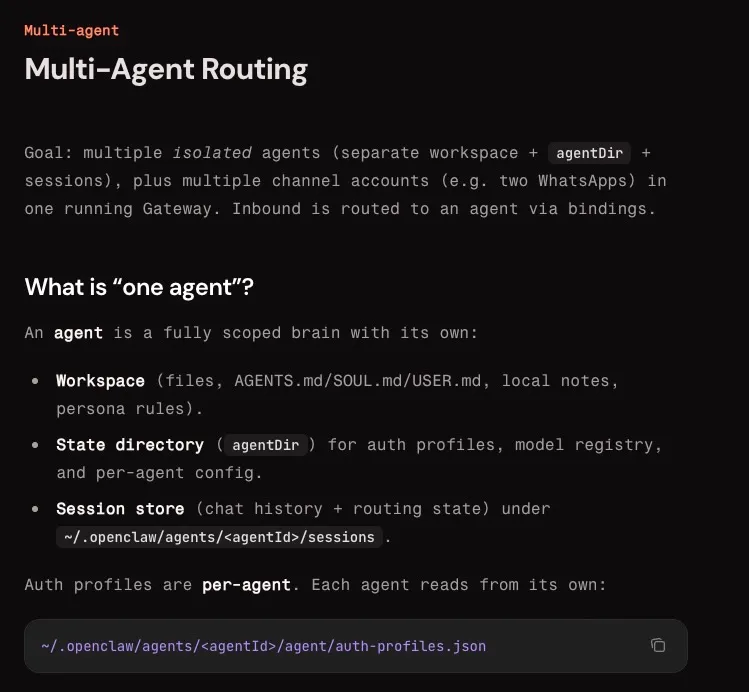
So, as you can see from the image I shared above. Each agent gets its own workspace, state directory, and session store. Also it’s important to know that main agent credentials are not shared, but you can share skills easily so you don’t have to worry about porting those across if there’s skills you want every agent to have access to.
If you do nothing, OpenClaw runs in single agent mode, and if you’re running in single agent mode with something like Opus, that’s probably overkill for a lot of the things you’re doing.
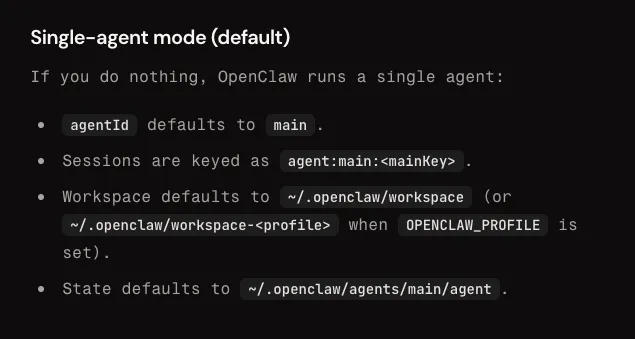
As you can see from the screenshot above, in single agent mode, your agentId defaults to main, that’s your one agent, using one model, that might be bigger and more badass than you need to turn on the light in your kitchen.
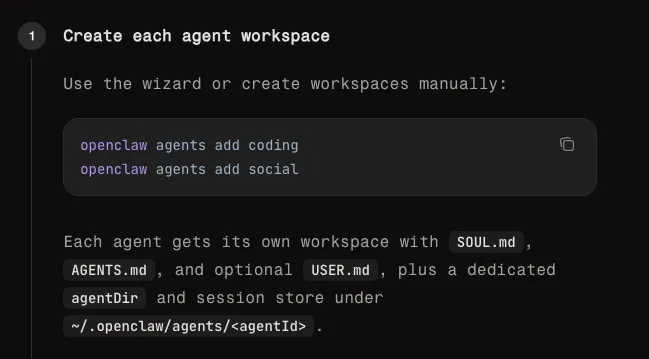
To create new agents, you can literally just pop into the terminal and type:
“openclaw agents add [agent-name]”
And boom, you’ve got another agent. I think the best way to set this up, at least for me, has been to have a different agent for each type of task. I have a home automation agent, a stock tracker agent, an Artemis II update agent, an email reading agent, etc.
For everyone that was running Opus to turn on and off their lights, try a model like Qwen, locally, I think you’ll find it does it just as well as Opus, and the cost is $0.
Okay, I’m going to stop here now, because if you really want to learn how to setup multi-agent routing, you should read the official docs, not learn from some noob like me. Here’s the link:
https://docs.openclaw.ai/concepts/multi-agent?utm_source=chatgpt.com#multi-agent-routing
Thanks for reading and that’s all I got. As my Uncle Irv used to say, TGIM, and have a great week!